
Chords for any song, in your own key
Type the title, pick a version and play along. Revigo puts the chords above the lyrics and transposes in one tap.


Free, no account needed. For Android and iPhone.
-
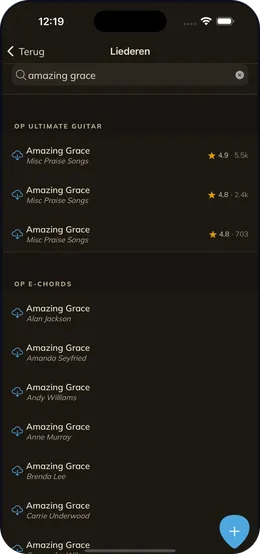
1 Find your song
Type a title. Revigo searches the big chord sites and shows the versions they have.
-
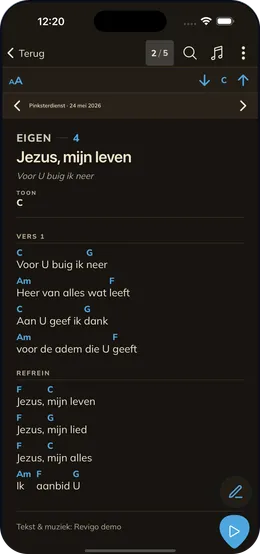
2 Play along
The chords sit above the lyrics, in the key you choose.
Easier than a chord site in your browser
-
No ads
Just the lyrics and the chords, large enough to read from your music stand.
-
Transpose and capo
Shift the key per song. With a capo, the sounding key stays visible.
-
Works offline
What you save lives on your device. In the attic, the rehearsal room or the church.
-
Your own songbook
Keep what you play, put songs on a list for an evening or a service, and add your own notes.
Good to know
Is it free?
Yes. Searching, saving, transposing and building setlists cost nothing and need no account. Only working together as a band through Revigo Team is paid.
Which instrument is it for?
Any instrument that plays chords: guitar, piano, keyboard, ukulele or bass. Revigo shows the chord names above the lyrics.
Does Revigo show how to finger a chord?
No. There are no chord diagrams. If you know the basic chords, you can play along straight away.
Which songs can I find?
Whatever the chord sites Revigo searches have: pop, worship and much more. If a song is missing, type it in yourself or import a file.
Revigo is free to try
Download the app and start with your own songs. A team can come later.